%20DPPrimary-White.png)

You may make online payments to Dragonpay-accredited merchants using your BDO Retail Internet Banking (RIB) facility.
Step 1
Login to BDO Retail Internet Banking (RIB).

Step 2
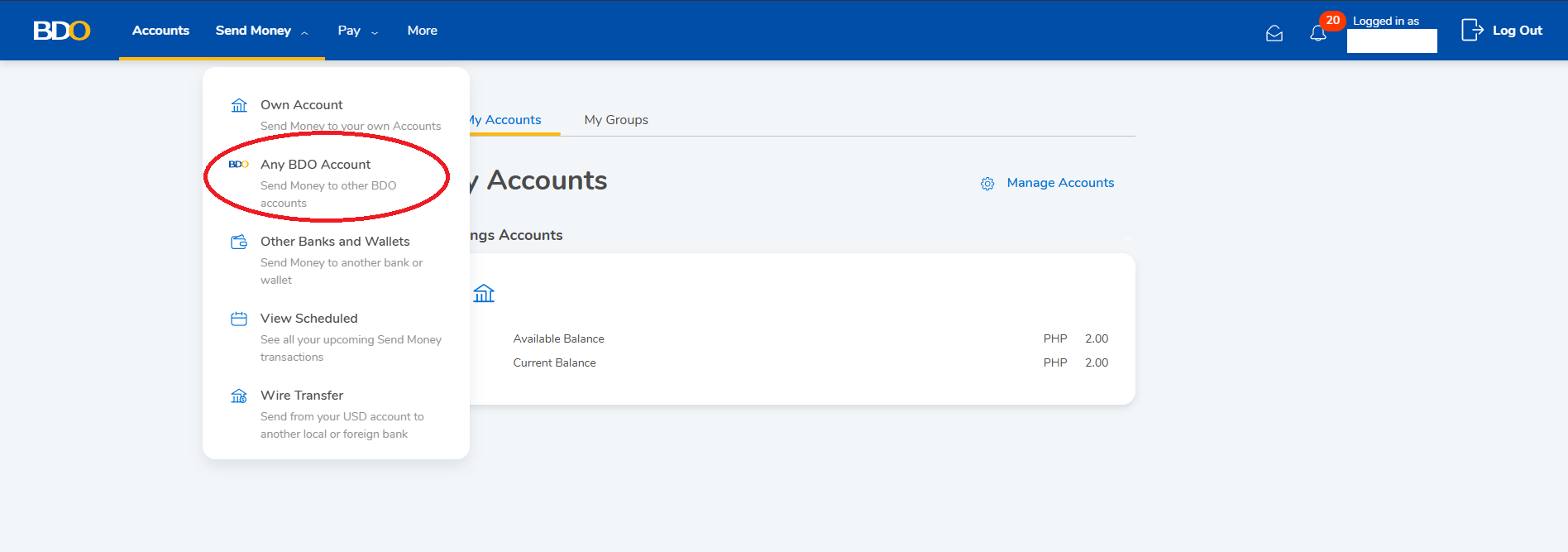
From the main menu, go to Send Money >> Any BDO Account.
Step 3
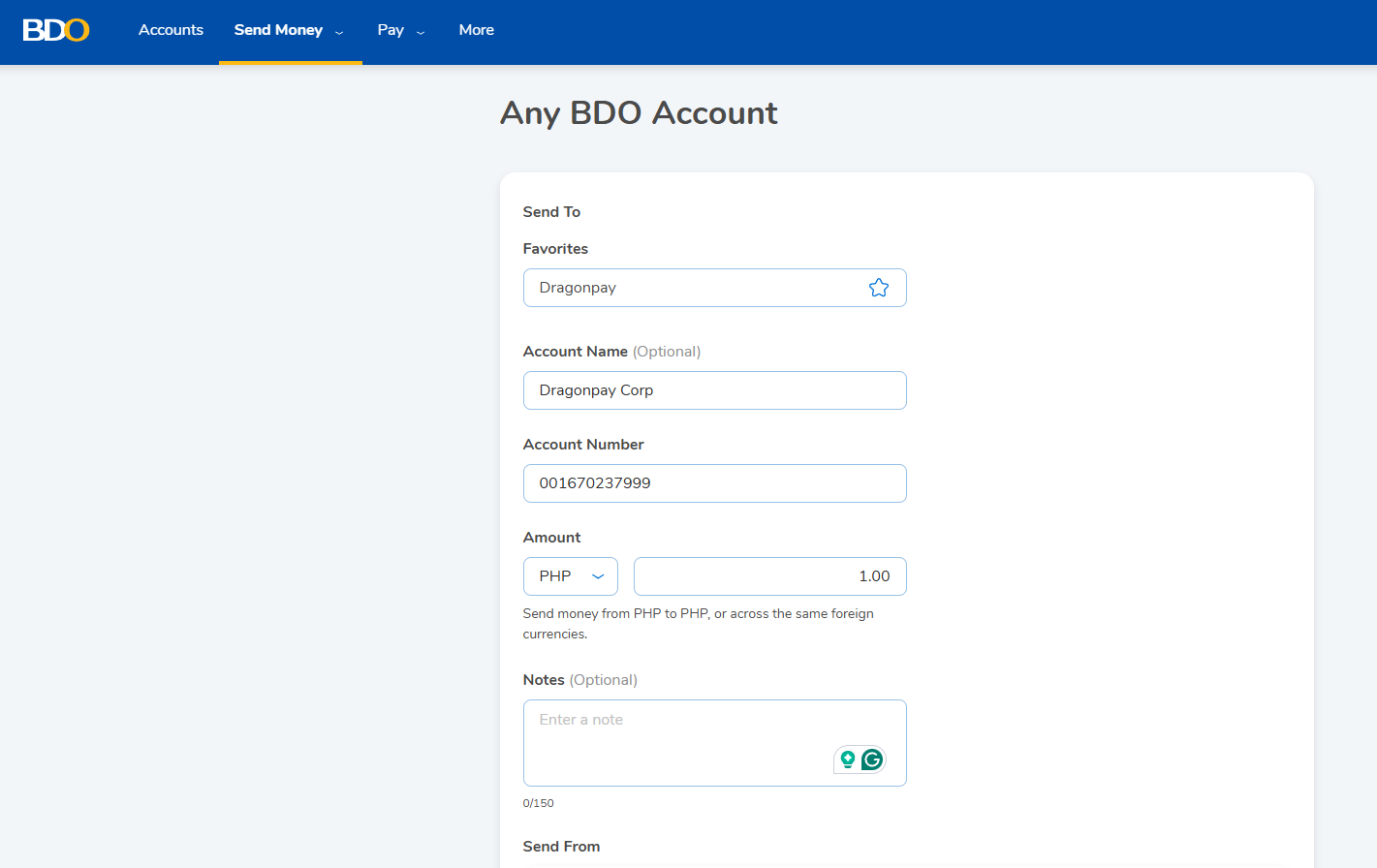
For Source Account, choose your account where the payment will be deducted from. In the Destination Account, enter Dragonpay’s account (001670237999).
In the Amount field, enter the exact amount due. For Notes, enter your 8 to 10 char Dragonpay reference number (and nothing else). It would be best to copy-and-paste the reference no. from our instruction to avoid typographical errors. Then click the Submit button to proceed.
Step 4
BDO RIB will send a One-Time Password (OTP) to your registered mobile phone via SMS to confirm the transfer.
Step 5
BDO RIB will display a Transaction Acknowledgement screen. Copy the last 6-digits of the confirmation number (FT-XXXXXX-nnnnnnnn, where ‘nnnnnnnn’ is the last 6-to-8 digits) displayed on screen. You will need these numbers to validate your online payment with Dragonpay.

Logout from BDO RIB. (Note: BDO RIB will also send a confirmation email to your registered email address. The Fund Transfer Reference Number can also be found in that email.)
Step 6
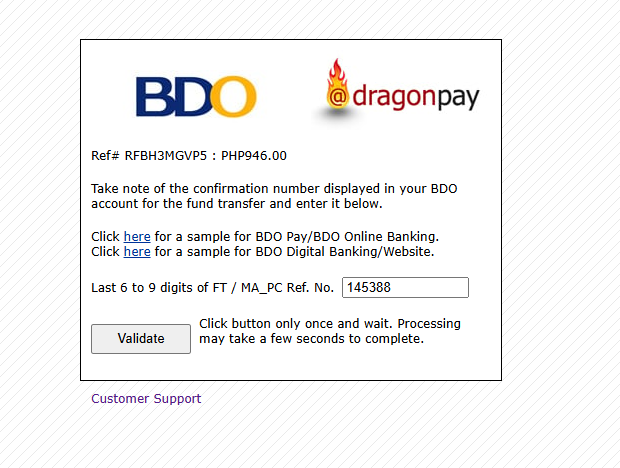
Click on the validation link in item #3 of your email instruction. You will be redirected to a page which will prompt for the last 6-digits of the Reference Number. Paste the number sequence that you copied from Step 6 onto the blank. Click on the Validate button to complete the process.
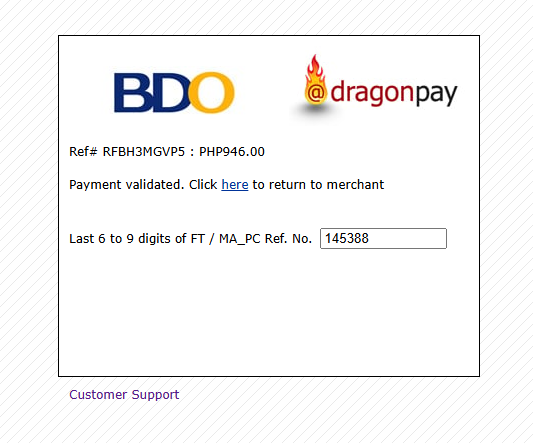
Note that sometimes it can take anywhere from 1 minute to 5 minutes for our system to synchronize with the bank. So if you validate too soon, the screen may prompt you to retry. You may retry up to 5 minutes. If the validation still fails, contact Support for assistance.